Virtual Body Doubling: How Online Sessions Work
Virtual body doubling means working alongside someone on a video call. How online sessions work, free and paid options, and a script for your first 50 minutes.
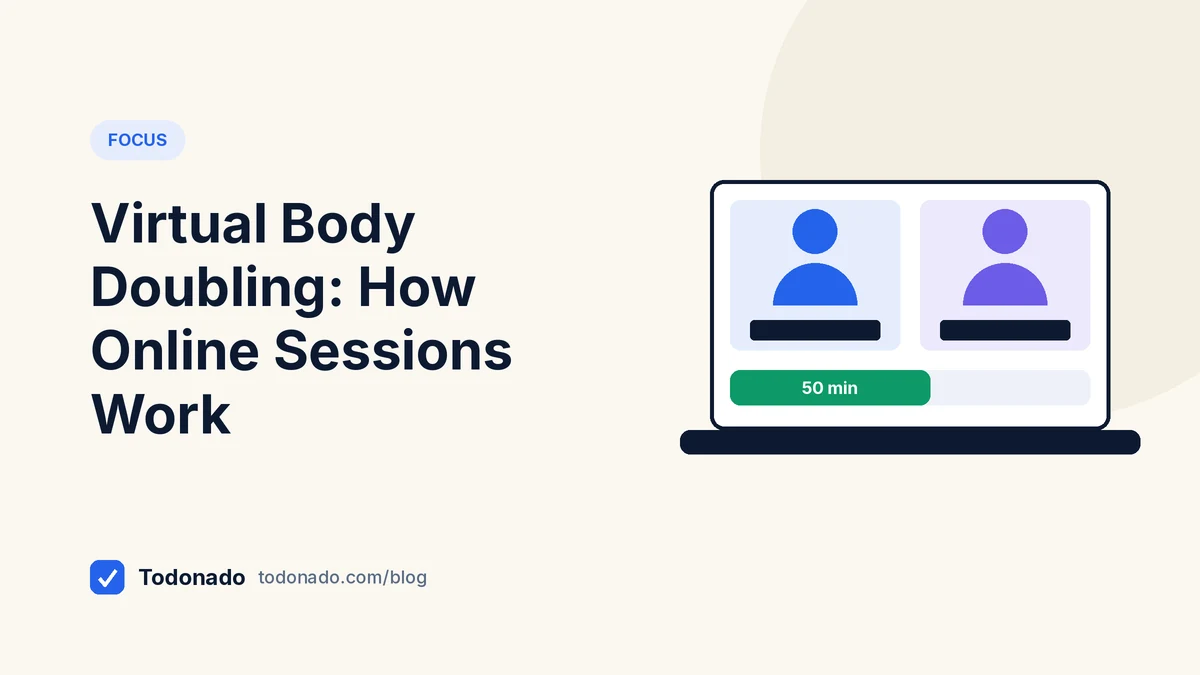
Virtual body doubling means working on your own task while another person works on theirs, on a video call. To try it, book or arrange a session of 25 to 50 minutes, say your goal out loud at the start, work with cameras on and mics muted, then check in briefly at the end. You can do this with a friend on any video app, in a free group room, or through a service that pairs you with a stranger.
It is the online version of body doubling, the habit of doing a task while someone else is present. Many people with ADHD describe it as one of the easiest ways to start a task they have been avoiding. It is not a treatment, and the research on it is limited. But it is cheap to try, and you will know after two or three sessions whether it helps you.
What is a body doubling session?
A body doubling session is a short, set block of time when you and at least one other person work at the same time. The other person does not help with your task. They are just there.
Most online sessions follow the same shape:
- Hello and goals. Each person says what they will work on.
- Work. Cameras on, mics usually off.
- Check-in. Each person says how it went.
That is all. The structure matters more than the platform. A clear start, a clear goal and a clear end turn a vague "I should do that" into an event.
Four ways to do online body doubling
| Option | Cost | Setup | Privacy | Good for |
|---|---|---|---|---|
| A friend on a video call | Free | Message a friend | High, you know them | Regular sessions, chores |
| A group room | Often free | Join a link | Medium, others can see you | Drop-in focus |
| A pairing service | Free tier or paid | Book a slot | Medium, a stranger sees you | Daily structure |
| A livestream or recorded video | Free | Press play | High, nobody sees you | Low-energy days |
A friend on a video call
The simplest option. Any video app works. Agree a time, a length and whether you will talk. Some pairs keep a call open for a whole afternoon and only chat at the breaks.
A group room
Some communities run open video rooms where people work together. They are often free. Group rooms are easy to join on short notice, but they can feel less personal, and you should check the rules on cameras and recording before joining.
A pairing service
These match you with another person for a booked session. One example is Focusmate. On its pricing page, checked on 10 November 2026, Focusmate listed a free plan with 3 sessions a week and a Plus plan with unlimited sessions at $8 a month billed annually or $12 billed monthly. Its how-it-works page says sessions come in 25, 50 and 75 minute lengths and that you should keep your video on. Other services exist, with different prices and rules. Compare them, and read their privacy terms, before you sign up.
A livestream or recorded video
Some people put on a "study with me" or "work with me" video. Nobody is watching you, so it is the weakest form of accountability. But on a day when a live call feels like too much, it can still help.
A script for your first 50-minute session
| Minutes | What to do |
|---|---|
| 0 to 2 | Say hello. Share one goal, as small and specific as you can |
| 2 to 3 | Set a timer. Mute your mic |
| 3 to 47 | Work on that one goal. Phone face down, other tabs closed |
| 47 to 50 | Unmute. Say what you did and what is next |
A good goal for a first session: "Reply to the three emails I have been avoiding." A poor one: "Catch up on work." The first can be finished in 44 minutes. The second cannot.
A worked example
Lena is a freelance translator. She has put off her tax paperwork for three weeks. She books three 50-minute online sessions across one week.
| Session | Goal | Result |
|---|---|---|
| Monday 9:00 | Find all receipts from the year and put them in one folder | Done in 40 minutes |
| Wednesday 9:00 | Enter receipts into the spreadsheet | Two thirds done |
| Friday 9:00 | Finish the spreadsheet and email it to the accountant | Done |
Total: about 2 hours 30 minutes of work, on a task she had avoided for weeks. The sessions did not make the paperwork easier. They made it start, and they gave each part a fixed end.
Tips that make sessions work
- Book at the same time each day. A routine removes the decision.
- Prepare the goal before the call. Write it down a few minutes before you join.
- Keep the first goal tiny. Starting is the hard part. A small win in the first session builds trust in the method.
- Use the check-in honestly. Saying "I did 10 minutes and then got stuck" is fine. It still counts.
- Have a back-up for days you cannot face a call. A recorded video or an in-person double can fill in.
For in-person options and a wider look at why body doubling seems to help, see our main guide to body doubling for ADHD.
What to say when you ask a friend
Asking feels awkward the first time, so here is a message you can copy:
"I'm trying something called body doubling. We'd both be on a video call, cameras on, mics off, each doing our own stuff for 50 minutes. Would you be up for Tuesday at 10?"
Most friends are curious, and many find it helps them too. If they say no, that is fine. A pairing service or a group room is there for exactly that case.
A few things are worth agreeing before the first call. Will you talk during the session, or only at the start and end? Is it fine to leave early if you finish? Will you keep cameras on? Settling these in advance stops the first session from turning into a long chat.
Using Todonado alongside a session
Body doubling gets you to start. A plan decides what you start on. In Todonado, put the session's goal on today's list as a task with an effort estimate, such as 45 minutes, so it counts against your capacity for the day. Then start a focus session on that task when the call begins. The focus timer shows how long you have left, which helps if you lose track of time.
Todonado does not include video calls or pairing. You will need a separate app or a friend for the session itself.
When virtual body doubling does not help
- If being on camera makes you anxious, a session can add stress instead of removing it. Try a camera-off call with a friend, or a recorded video.
- If the task is blocked, no session will unblock it. Use the session to send the message that unblocks it.
- If you cannot start at all, even with someone there, the freeze may be about something else. Our guide to ADHD task paralysis covers that.
FAQ
Is online body doubling as good as in person? Many people find it works nearly as well, especially with cameras on. Some prefer a person in the room for chores.
Is there a body doubling app? There are services built around body doubling sessions, some with apps. A normal video app with a friend works too.
How long should a session be? Start with 25 or 50 minutes. Longer sessions are fine once you know it works for you.