Task Batching: How to Group Work and Cut Context Switching
Task batching means grouping similar tasks and doing them in one block. How to choose batches, how long to make them, and a worked example of a batched day.
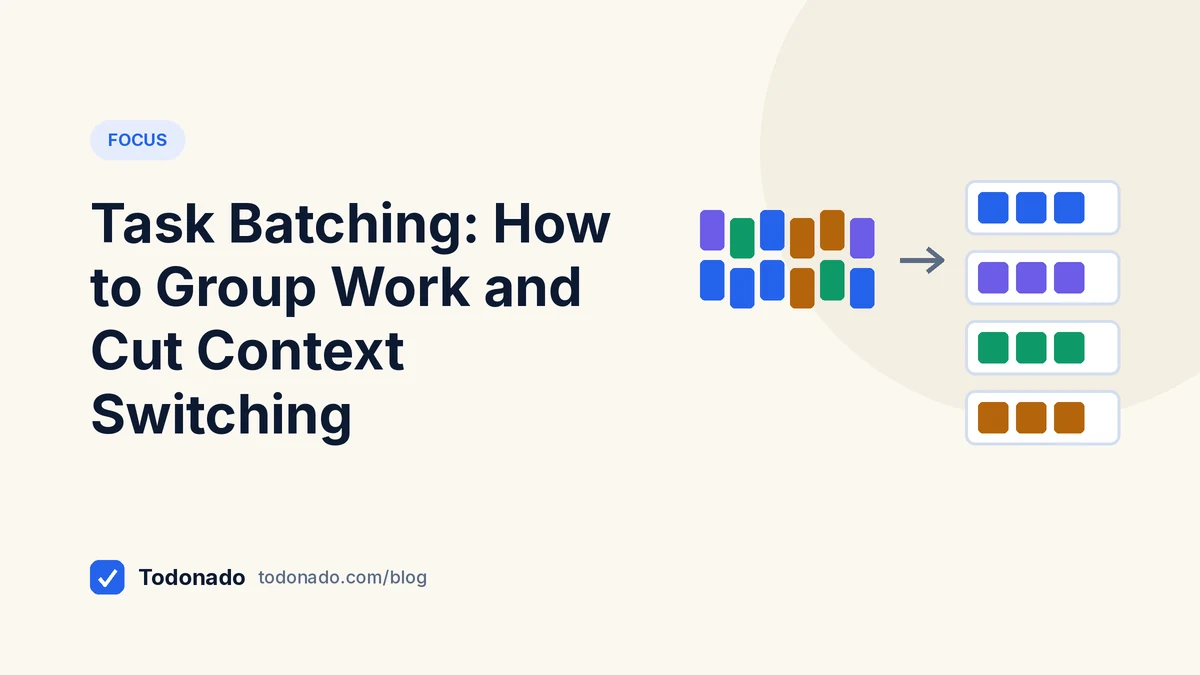
Task batching means grouping similar tasks and doing them together in one block, instead of spreading them through the day. To start, list your small recurring tasks, sort them into four or five batches such as email, calls, admin and errands, and give each batch one or two fixed slots a day. Then do deep work outside those slots. You switch between kinds of work far less often, and each switch costs something.
Batching is simple and works for most jobs. It is one of the easiest ways to reduce context switching at work without changing your role or your tools.
Why context switching costs time
When you move from one kind of task to another, your mind has to change gear. You put down the rules and details of one task and pick up the next. This takes a moment, and it adds up.
The American Psychological Association has a short summary of research on task switching. It explains that experiments by Joshua Rubinstein, Jeffrey Evans and David Meyer found people lost time with every switch, and lost more when the tasks were complex or unfamiliar. The APA page reports that Meyer has said these brief mental blocks can cost as much as 40 percent of someone's productive time. That figure is a researcher's estimate, not a measured average for office work, but the direction is clear: switching is not free.
Batching works by cutting the number of switches. If you check email 20 times a day, you switch 40 times: into email and back out. If you check it three times, you switch six times.
Common task batching examples
| Batch | Tasks in it | Suggested length | When |
|---|---|---|---|
| Email and messages | Replies, sorting, quick answers | 20 to 30 min | 2 to 3 times a day |
| Calls | Phone and video calls you control | 30 to 60 min | One afternoon block |
| Admin | Invoices, forms, expenses, booking | 30 to 45 min | Once a day or twice a week |
| Errands | Shop, post office, pharmacy | 60 to 90 min | Once a week |
| Reviews | Feedback on others' work | 45 to 60 min | Once a day |
These task batching examples are a starting point. The right batches depend on your work. A teacher might batch marking. A developer might batch code reviews. A parent might batch school forms and payments.
How to use the task batching technique
The technique takes about 30 minutes to set up once, then a few seconds each day.
- List your small tasks for a week. Anything under 30 minutes that recurs.
- Group them. Look for tasks that use the same tool, the same place or the same kind of thinking.
- Give each group a slot. Fixed times work best, such as email at 9:00, 13:00 and 16:30.
- Protect the time between. That is where your focused work goes.
- Keep a capture list. When a small task comes up outside its batch, write it down and leave it.
How long should a batch be?
Long enough to clear the batch, short enough that it does not eat the day. For most people, 20 to 45 minutes is right. If a batch keeps running over, split it, or look at whether some of the tasks can be dropped.
A worked example: before and after
Here is a real-looking day for an office manager, before batching. Each change of task type is a switch.
BEFORE
09:00 email      09:20 invoice    09:35 email
09:50 call       10:10 report     10:40 email
10:50 booking    11:00 report     11:30 email
11:45 call       12:00 lunch      13:00 email
13:15 expense    13:30 report     14:30 email
14:45 call       15:00 form       15:15 email
15:30 report     16:30 email
Switches between task types: 19
Report time: 2 h 40 min, in 4 pieces
After batching:
AFTER
09:00 email batch (30 min)
09:30 report (2 h, focus block)
11:30 admin batch: invoice, booking, expense, form (45 min)
12:15 lunch
13:15 email batch (30 min)
13:45 calls batch: three calls (60 min)
14:45 report (60 min)
15:45 email batch (30 min)
Switches between task types: 6
Report time: 3 h, in 2 pieces
The same tasks get done. The report gets 20 more minutes and is in two long blocks instead of four short ones. Six switches instead of 19.
Task batching vs time blocking
They work well together but are not the same thing.
- Time blocking assigns blocks of time on your calendar to specific work.
- Task batching decides what goes together inside a block.
You can batch without blocking, by simply doing all your calls at once whenever you get to them. And you can block without batching, by giving a block to one big task. Most people get the best result from both: a few blocks for deep work, and batches for everything else. Our article on time blocking vs time boxing explains the calendar side.
How to stop context switching when others interrupt
To stop context switching completely is not realistic, but you can cut it a lot. Batching your own tasks is the easy part. Other people's requests are harder.
- Tell people your batch times. "I answer messages at 9, 1 and 4:30" sets expectations.
- Turn off alerts outside batches. Leave on only the ones that are truly urgent.
- Offer office hours. A fixed slot for questions cuts random interruptions.
For more, see our guide on how to handle interruptions at work.
Batching in Todonado
In Todonado, you can make a batch a single task with subtasks, such as "admin batch" with the invoice, booking, expense and form underneath, and give it one effort estimate. That keeps your day list short and the capacity meter honest. Repeating tasks can set up daily batches, like "email batch" at three times a day, without retyping them.
Focus mode works well for the blocks between batches. Start a focus session on the report, and the timer keeps you on it until the next batch.
How to start batching this week
You do not need to batch everything at once. Start with the batch that will save the most switches, which for most people is email and messages.
- Day 1. Pick three email times and put them in your calendar. Close your inbox between them.
- Day 2. Add an admin batch. Collect every small form, booking and payment on a list during the day, and do them all in one 30-minute slot.
- Day 3. Group your calls. Ask people to book into one afternoon block instead of scattered times.
- End of the week. Look back. Which batch ran over? Which tasks did not fit any batch? Adjust the slots, not the idea.
Expect the first few days to feel slow. Replies that used to go out in two minutes now wait two hours, and most people find nobody minds. If someone does need a faster answer, agree a channel for real urgency, like a phone call, and keep everything else in the batch.
When batching does not work
- Urgent roles. If your job is to respond quickly, such as on-call support, long gaps between batches are not an option. Use shorter batches more often.
- Tasks that depend on others. If you need a reply before you can continue, batching the follow-up does not help. Send the question first.
- Very small task lists. If you only have three small tasks a day, batching adds structure you do not need.
FAQ
Is task batching good for ADHD? Some people with ADHD find batching helps, because it reduces the number of decisions in a day. Others find long batches boring. Try short ones first.
How many batches should I have? Four or five covers most jobs. More than that and you are back to switching.
Does batching work for home tasks? Yes. Errands, bills and chores batch well, and save time on travel too.