Brain Dump Template: A Free One-Page Layout You Can Copy
A free brain dump template you can copy into a notebook, a doc or a notes app, with six labelled zones, a sorting key and a worked example.
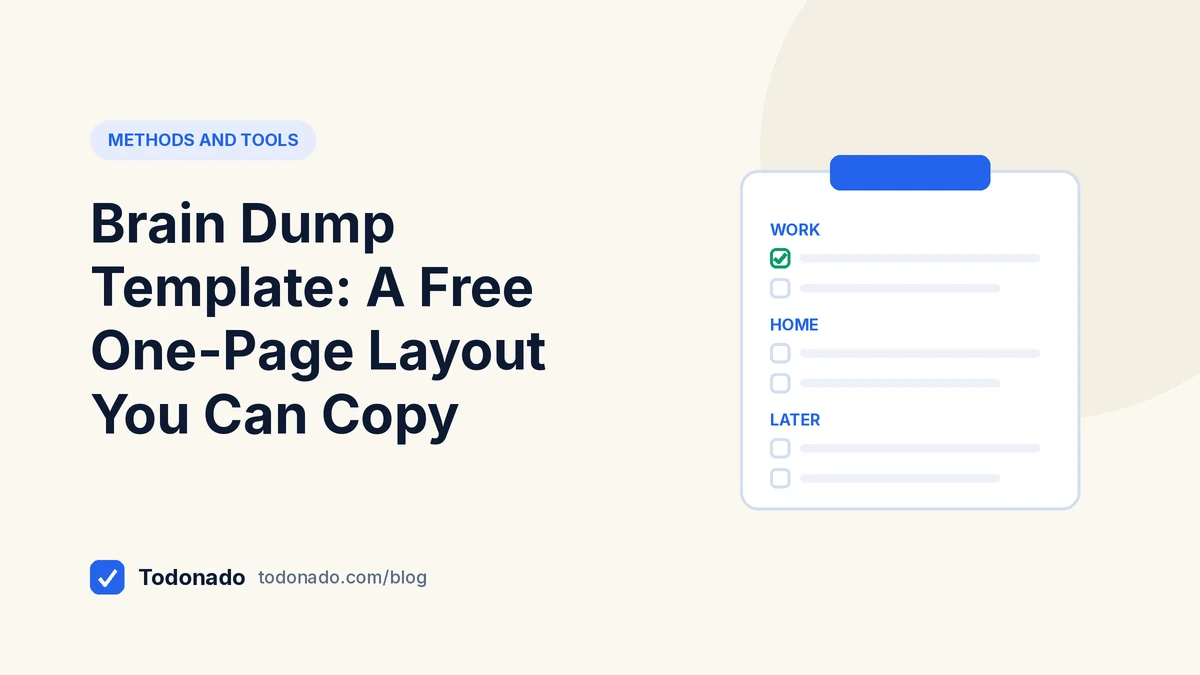
Copy the template below onto one page: six zones for work, home, people, money, ideas and worries, plus a column for a one-letter sorting key. Fill the zones fast for 15 minutes without judging anything. Then go back through once and mark each line D (do this week), S (schedule a date), L (later) or X (drop). That is all a brain dump template needs to do: help you catch more, and make the sort quick.
Some people call this a brain dump worksheet or a brain dump sheet. This page is only the layout. For the method of emptying your head, with prompts and timing, see how to brain dump. For sorting a long dump into a plan, see how to turn a brain dump into an action plan. The template is free to copy into a notebook, a document, a notes app or a printed sheet. No sign-up, no download.
Why use a template at all?
A blank page is fine for a quick dump. But two problems show up when people dump regularly.
First, a blank page invites the loud items and misses the quiet ones. You write down the work deadline and forget the car tax. Labelled zones act as prompts. An empty "money" zone makes you stop and think about bills.
Second, a blank page is slow to sort. Thirty lines in random order take a while to untangle. Lines that already sit in rough categories can be sorted in minutes.
A template does not make you more organised. It just makes the two halves of the job, capture and sort, faster.
The brain dump template
Copy this as it is. On paper, draw a box for each zone. In an app, use headings.
BRAIN DUMP                         Date: ____________

KEY:  D = do this week   S = schedule a date
      L = later / someday   X = drop it

WORK                                         key
- ______________________________________    __
- ______________________________________    __

HOME & ERRANDS
- ______________________________________    __

PEOPLE (replies, promises, calls)
- ______________________________________    __

MONEY & ADMIN (bills, forms, renewals)
- ______________________________________    __

IDEAS (not tasks yet)
- ______________________________________    __

WORRIES (what is on my mind)
- ______________________________________    __

TOP 3 FOR TOMORROW
1. ______________   2. ______________   3. ______________
Why these six brain dump categories
| Zone | What it catches | Why it is separate |
|---|---|---|
| Work | Deadlines, follow-ups, half-done jobs | Usually the loudest, so it goes first and gets emptied |
| Home and errands | Repairs, shopping, chores | Easy to forget while at work |
| People | Replies owed, promises, calls | Other people are often waiting on these |
| Money and admin | Bills, renewals, forms | Low effort, real consequences if missed |
| Ideas | Plans and "one day" thoughts | Keeps them safe without pretending they are tasks |
| Worries | Things on your mind | Often hide a task, and naming them helps you see it |
You can rename zones to fit your life. A student might swap "work" for "classes". A parent might add "kids". Keep it to six or fewer, or the sheet starts to feel like a form.
How to use the brain dump worksheet
- Fill it fast. Fifteen minutes. One item per line, in any zone. If you are unsure where something goes, put it anywhere.
- Do not mark the key yet. Capture first, sort second. Mixing them slows both.
- Sort in one pass. Go top to bottom and give every line a letter. Do not deliberate. If you hesitate for more than a few seconds, write L.
- Pick the top three. From the D items, choose the three that matter most tomorrow and copy them to the bottom.
- Move the rest. D items go into this week. S items get a date in your calendar or task list. L items go to a someday list. X items are done with.
The key is deliberately short. Four options are enough to clear a page, and every extra option adds thinking time.
A worked example
Here is a filled sheet from a freelance designer on a Sunday afternoon. It took 14 minutes to fill and 6 minutes to sort. It held 31 lines.
| Zone | Lines | D | S | L | X |
|---|---|---|---|---|---|
| Work | 9 | 5 | 2 | 1 | 1 |
| Home and errands | 6 | 2 | 1 | 2 | 1 |
| People | 5 | 4 | 1 | 0 | 0 |
| Money and admin | 4 | 1 | 3 | 0 | 0 |
| Ideas | 4 | 0 | 0 | 4 | 0 |
| Worries | 3 | 1 | 0 | 0 | 2 |
| Total | 31 | 13 | 7 | 7 | 4 |
Thirteen items to do this week sounds like a lot. But when the designer put a rough time on each, eight of them were under 15 minutes: replies, a renewal, a quick call. The whole D column came to about 6 hours of work, spread across five days. That fits.
The worries zone was the interesting one. Of three worries, two were dropped once written down ("did I offend Ana?" turned out to need no action). The third, "not sure I quoted enough for the website job", became a task: "check hours spent so far against the quote", 20 minutes, marked D.
Brain dump template printable or digital?
A printable brain dump sheet works well if you dump at a desk or in bed. Print a stack, keep them in a folder, and you can look back at old sheets to see what keeps returning. To make one, paste the template above into any document, set a large font, and print.
A digital version is better if you want the D and S items to land in your task list without copying. A note with headings is enough. Some people keep one note per week and add to it.
Either is fine. The structure matters more than the medium. Our guide to digital vs paper planners goes further if you are undecided.
Using the template with Todonado
The sheet is free and works on its own. If you use Todonado, the zones map onto it like this. Type the D and S items into the Inbox. Give each an effort estimate in minutes, using the presets of 15, 30, 60, 90 or 120. Put work items into a project and home items into another, with sections if you like. The Today view then adds up the estimates against your daily capacity and warns you before you overbook.
The "later" items can live in a project of their own, out of the way of today. That separation is the point: a backlog you trust but do not read every morning. Todonado does not sort the sheet for you. The D, S, L and X decisions stay yours.
When a template is the wrong tool
- When you are very overwhelmed. If the page itself feels like pressure, skip the zones and use a blank sheet. Structure can wait for the next dump.
- When the dump is about one project. For a single project, a plain list of steps works better than life categories. The action plan guide linked at the top covers that kind of sort.
- When you keep filling it but never sorting. The template does not fix that. Put the sort on your calendar as a 10-minute slot the next morning.
FAQ
How often should I fill in a brain dump template? Weekly works for most people. Add extra dumps when you feel scattered or before a big change, like a new job or a holiday.
What if one zone stays empty? That is fine. An empty zone is information too. It means nothing in that area is weighing on you right now.
Should I keep old sheets? Keep a month or two. Lines that show up on every sheet are telling you something: they need a first step, a date, or an honest X. Our piece on what to do with years of unfinished to-do lists covers that problem.