
Personal Kanban: A Simple Board for Your Own Work
Personal kanban uses two rules, visualize your work and limit work in progress. How to set up a board in 15 minutes, pick a WIP limit, and run it day to day.
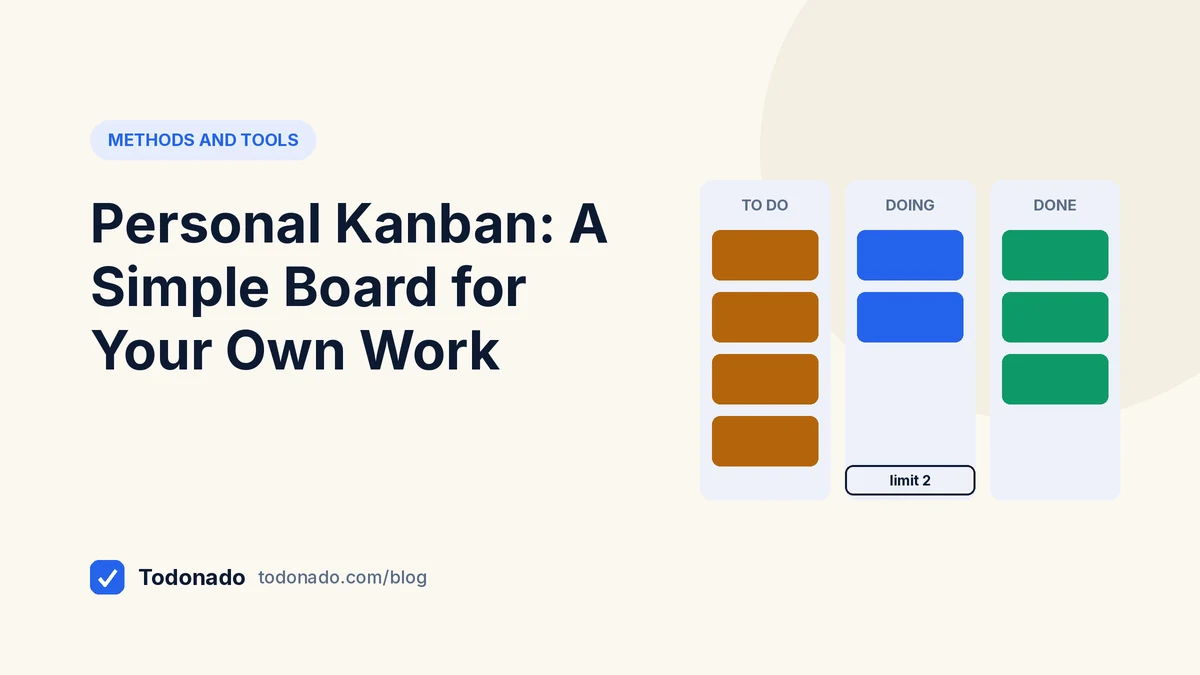
Personal kanban is a way to manage your own work on a board with columns, usually To do, Doing and Done. It has two rules: visualize your work, and limit your work in progress. To start, draw three columns on paper or in an app, put every current task on a card in To do, and choose a limit for Doing, such as two or three cards. Only pull a new card into Doing when one moves to Done. The limit is what makes it work.
The method comes from Jim Benson and Tonianne DeMaria, the authors of the book Personal Kanban. Their site, personalkanban.com, sums it up in those two rules: visualize your work, and limit work in progress. They explain that the name was chosen to set knowledge work apart from factory floor kanban, not to mean it is only for individuals. This guide covers the solo version.
Why the two rules work
Visualize your work. A list hides how much is going on. A board shows it at a glance: what is waiting, what is started and what is finished. Seeing ten cards in Doing makes the problem obvious in a way a list does not.
Limit work in progress. Starting things is easy. Finishing is hard. When you have many tasks open at once, each one moves slowly, and switching between them costs time and attention. A limit forces you to finish before you start. That is also the idea behind task batching: fewer switches, more done.
Set up a personal kanban board in 15 minutes
Step 1: choose a surface (2 minutes)
Paper on a wall with sticky notes, a whiteboard, or an app. Paper is great if you work in one place. An app is better if you move around.
Step 2: draw the kanban columns (2 minutes)
Start with three:
| To do | Doing | Done |
|---|---|---|
| Everything you have committed to | What you are working on now | Finished this week |
Keep it to three for the first two weeks. You can add more later.
Step 3: fill To do (8 minutes)
Write every current task on its own card. One task per card, written as an action: "send invoice to Ana", not "invoices". If you have a long list, see our guide on how to organize a huge to-do list first.
Step 4: set a WIP limit (1 minute)
The WIP limit is the most cards allowed in Doing at once. Start with 3. Write the number at the top of the column.
Step 5: pull your first cards (2 minutes)
Pick the cards that matter most today and move them to Doing, up to your limit. Start work.
How to choose a WIP limit
There is no perfect number. Start at 3, then watch for two signs over a week.
| Sign | What it means | Change |
|---|---|---|
| Cards sit in Doing for days | Limit is too high | Lower it by one |
| You are often waiting with nothing to do | Limit is too low | Raise it by one |
| Cards move steadily to Done | Limit is about right | Keep it |
Many people settle on 2 or 3 for personal work. If your work has long waits, like replies from other people, add a "Waiting" column so those cards do not block your limit.
Running the board day to day
- Each morning: look at Doing first. Finish before you pull.
- When a card is done: move it to Done, then pull the next card from To do.
- When you are blocked: move the card to Waiting, if you have one, and pull another.
- Each week: clear Done, look at what moved, and tidy To do.
That weekly look fits well into a weekly review.
A personal kanban board example
Here is a personal kanban board example from a real kind of week, the sort where new work keeps arriving. Jonah is a freelance writer with a WIP limit of 3. Here is part of his week.
| Day | Doing | Event | Done this day |
|---|---|---|---|
| Mon | Article A, invoice, pitch | Finished invoice | 1 |
| Tue | Article A, pitch, edits for B | Client asks for urgent call notes | 1 |
| Wed | Article A, edits for B, call notes | Wants to start a new pitch, but Doing is full | 2 |
| Thu | Article A, new pitch | Finished Article A | 1 |
| Fri | New pitch | Light day | 1 |
On Wednesday, the limit stopped him from starting a fourth piece of work. He finished the edits and call notes first. Before using a limit, he says, he would have started the pitch and finished it the next week.
Kanban for a to do list in Todonado
Todonado is not a kanban board. It is a planner built around a daily capacity, so the closest match is to treat Today as your Doing column. Your projects and Inbox act as To do, and completed tasks are your Done. The capacity meter works like a WIP limit measured in time: if today is full, adding more shows an overbooking warning.
If you prefer cards in columns, a paper board or a dedicated kanban app will suit you better. Some people use both: a kanban board for the big picture and Todonado for what fits in today.
Why a board beats a list for some people
A to-do list is a line. You read it from top to bottom, and the most important item can sit at number fourteen. A board is a picture. You see the whole state of your work at once, and your eye goes to the middle column, the work that is already started.
That change in view matters most when you juggle several projects. On a list, starting a new task feels free, because it is just another line. On a board, it means adding a card to a column that is already full, and you can see that it is full. The board makes the cost of starting visible.
It also gives you a small reward. Moving a card to Done is a clear, physical end to a piece of work. For people who struggle to feel progress, that matters more than it sounds.
Common mistakes
- No WIP limit. Without it, the board is just a nicer list.
- Too many columns. Start with three. Add Waiting only if you need it.
- Big cards. "Write book" sits in Doing forever. Break it into steps.
- Never clearing Done. Clear it each week. Seeing a full column is nice, but it hides the rest.
Limitations
The method works best for work made of separate tasks. It is less useful for work with fixed times, like meetings or classes, which belong in a calendar. And it does not tell you how long anything takes, so a board can show three cards in Doing that together need ten hours. Pair it with time estimates if your days often overflow.
FAQ
What is a good WIP limit for one person? Start with 3 and adjust after a week. Many people end up at 2 or 3.
Can I use a kanban board for home tasks? Yes. It works for chores, projects and life admin.
Do I need an app? No. Sticky notes on a wall work well, and many people prefer them.