Eisenhower Matrix Template: 3 Free Layouts You Can Copy Today
A free Eisenhower matrix template in three layouts, a printable grid, a weekly version with dates and minutes, and a spreadsheet, plus how to fill one in.
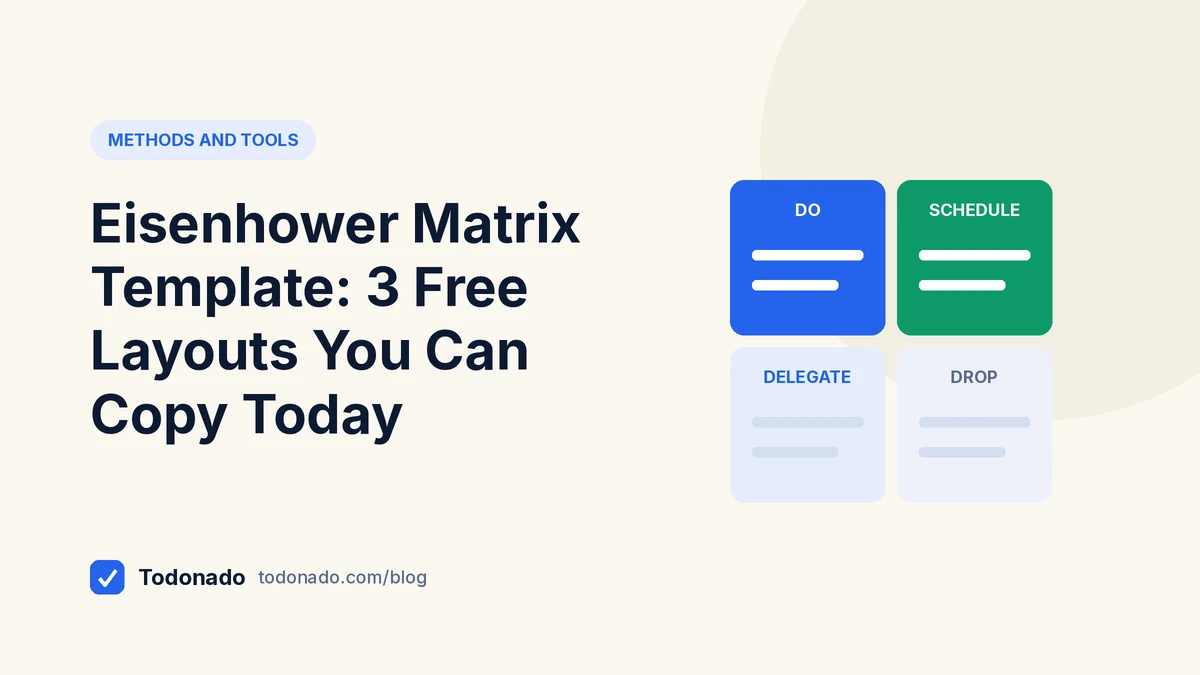
Copy one of the three Eisenhower matrix templates below: a printable grid for quick sorting, a weekly version with date and minute columns, or a spreadsheet layout. Fill it in by asking two yes-or-no questions of each task: does it matter to my goals, and does it have to happen in the next two days? Then do box 1 today, give every box 2 task a date, shrink or hand off box 3, and drop box 4. All three templates are free to copy.
If you want to see the matrix applied to real weeks first, our Eisenhower matrix examples walk through four of them, from a team lead to a parent. This page is the toolkit that goes with them.
How to fill in any Eisenhower matrix template
The two-question test
Ask two questions, in this order, and take your first answer.
- Is it important? Would it noticeably help my work, health, money, relationships or goals? If you would not mind it never happening, the answer is no.
- Is it urgent? Does it have to happen in the next two days, or does something bad happen soon? A real deadline, a person waiting, a fee.
| Important? | Urgent? | Box | What to do |
|---|---|---|---|
| Yes | Yes | 1 | Do it today |
| Yes | No | 2 | Give it a date and a time estimate |
| No | Yes | 3 | Shrink it, batch it or hand it off |
| No | No | 4 | Drop it |
Where to draw the urgent line
The two-day line is a choice. Some people use "this week". Pick one and stick to it, so the urgent box does not slowly fill with everything.
Template 1: the printable grid
The classic layout. Draw it on paper or paste it into a document and print it. It works best for a quick sort of up to about 15 tasks.
                URGENT                NOT URGENT
            +---------------------+---------------------+
 IMPORTANT  | 1. DO TODAY         | 2. SCHEDULE         |
            |                     |    (add a date)     |
            | -                   | -                   |
            | -                   | -                   |
            +---------------------+---------------------+
 NOT        | 3. SHRINK / HAND OFF| 4. DROP             |
 IMPORTANT  |                     |                     |
            | -                   | -                   |
            | -                   | -                   |
            +---------------------+---------------------+
This is the Eisenhower matrix template printable on one page. Its weakness: box 2 has no column for a date, so important work can sit there for weeks.
Template 2: the weekly version with dates and minutes
This layout fixes that weakness. Every box 2 task gets a day and an estimate, and box 1 gets a time check.
WEEK OF: __________      TASK TIME THIS WEEK: ____ h

BOX 1  DO TODAY                     minutes
- ______________________________   ___
- ______________________________   ___
                          total:   ___

BOX 2  SCHEDULE                     day   minutes
- ______________________________   ___   ___
- ______________________________   ___   ___
- ______________________________   ___   ___

BOX 3  SHRINK / HAND OFF            to whom / how
- ______________________________   ___________

BOX 4  DROP
- ______________________________
Use it on Monday morning. The minutes column is the important addition. A box 1 with four urgent tasks that add up to six hours, on a day with three hours free, is a problem you want to see at 9am, not at 5pm.
Template 3: the Eisenhower matrix spreadsheet
If you prefer a spreadsheet, use one row per task and these columns:
| Task | Important (Y/N) | Urgent (Y/N) | Box | Date | Minutes | Done |
|---|---|---|---|---|---|---|
| Reply to client about delay | Y | Y | 1 | Today | 15 | |
| Draft Q1 plan | Y | N | 2 | Thu | 90 | |
| Book team lunch | N | Y | 3 | Ask Sam | 5 | |
| Reorganise old folders | N | N | 4 |
Add a formula or a simple rule for the Box column: Y and Y is 1, Y and N is 2, N and Y is 3, N and N is 4. Sort by box, then by date. Filter out done rows. A spreadsheet is handy if you want to look back over months, but it is slower to fill in than paper.
A filled-in example: 14 tasks sorted
Here is the weekly template filled in by an operations manager on a Monday, with about 20 hours of task time for the week.
| Box | Tasks | Minutes |
|---|---|---|
| 1 | Payroll check, supplier complaint, fix broken booking form | 150 |
| 2 | Hiring plan (Tue), budget review (Wed), process doc (Thu), training plan (Fri) | 420 |
| 3 | Room booking, two meeting requests, a survey | handed off or shrunk |
| 4 | Redesign the old intranet page, sort photo archive, a webinar | dropped |
Box 1 and box 2 together come to 570 minutes, a little under ten hours, out of 20. That leaves room for meetings that will appear during the week. Without the minutes column, the manager would have no idea whether the plan fits.
Which template should you use?
Pick by how you plan, not by how the template looks.
- Use the grid if you sort quickly on paper, have fewer than 15 tasks, and plan one day at a time. It takes two minutes.
- Use the weekly version if your problem is that important work never gets done. The date column is the whole point. Many people find this is the layout that changes their week.
- Use the spreadsheet if you want a record over months, share the sort with someone, or already live in spreadsheets for work.
You can also combine them. Some people sort on the grid every morning and fill in the weekly version once on Monday. Whatever you choose, keep the same layout for at least three weeks before you judge it. A new template every week is a form of planning that never reaches the work.
Common mistakes the templates prevent
- Everything in box 1. The two-day line keeps box 1 honest.
- Box 2 with no dates. Template 2 and the spreadsheet make a date part of the row.
- Too many tasks. If you have more than about 15, sort your list first. Our guide on how to organize a huge to-do list helps.
- Never emptying box 4. Cross it out on the same day. That is the point of the box.
The hub article on Eisenhower matrix examples covers these mistakes with real weeks.
Using the matrix with Todonado
Todonado does not have a four-box view. It works well alongside the matrix instead. Tasks have priorities and effort estimates in minutes, so box 1 tasks can be high priority on today's list and box 2 tasks can be placed on specific days. The capacity meter shows whether today's box 1 fits in the hours you set, and the overbooking warning appears before you go over.
On Pro, the week view shows seven days of capacity, which is a good place to spread box 2 tasks across the week, like the weekly template does on paper.
When a template is not enough
The matrix tells you what kind of task something is. It does not tell you which of three box 1 tasks to do first, or how long they take. For that, use time and energy. Our guide to how to prioritize when everything feels urgent covers the cases where the urgent box is full of other people's emergencies.
FAQ
Is there a free Eisenhower matrix template? Yes, all three layouts above are free to copy into a notebook, document or spreadsheet.
What is the urgent important matrix? It is another name for the Eisenhower matrix. Tasks are sorted by whether they are urgent and whether they are important.
How often should I fill in a new one? Weekly for the full sort, with a quick look at box 1 each morning.